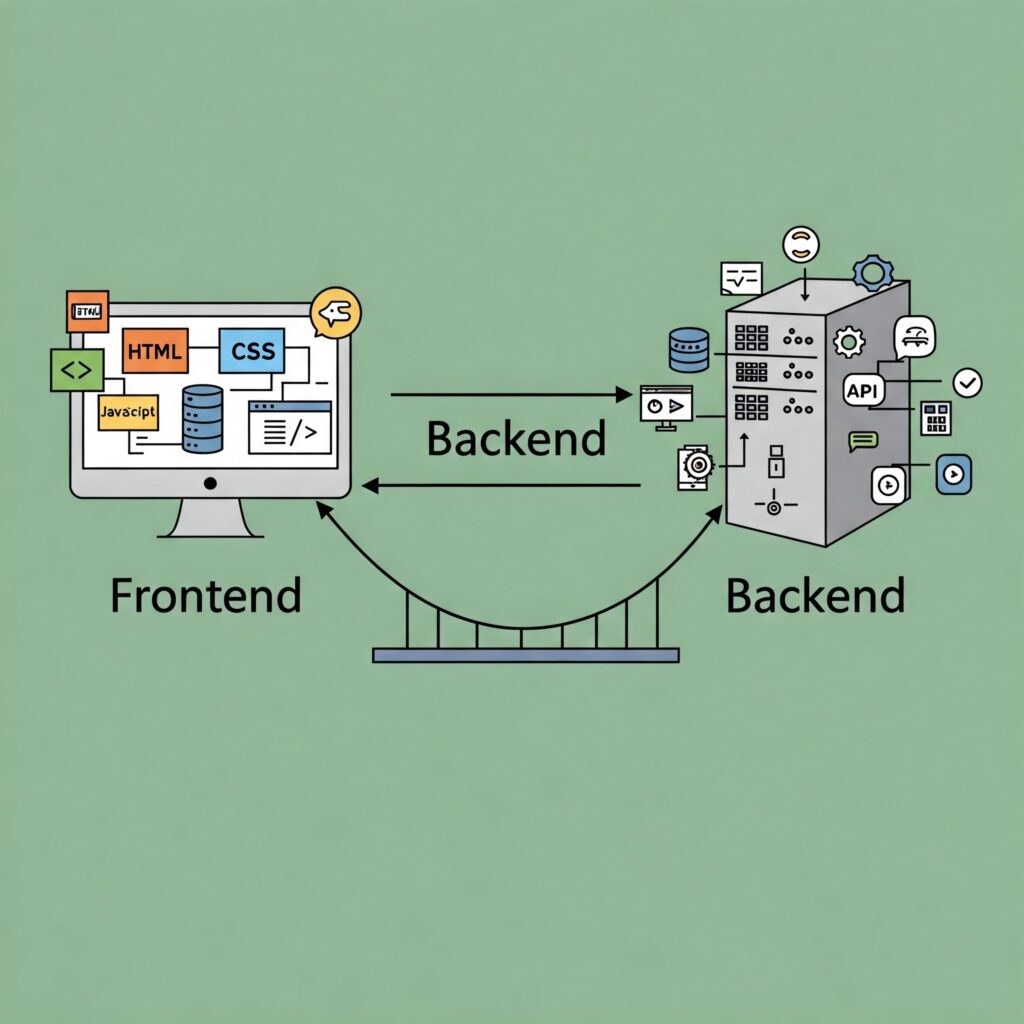
In the complicated world of modern software development, the seamless experiences we enjoy on our devices are the result of a carefully orchestrated collaboration between three distinct yet interconnected layers: the frontend, the API (Application Programming Interface), and the backend.
Each part plays a crucial role, contributing its unique expertise to create a functional and user-friendly application.
Quick sec. Need help leveling up your coding skills? If so join my Patreon for one-on-one coaching!
Understanding how these three components work together is fundamental to grasping the architecture of virtually every website, mobile app, and web service we interact with daily.
Imagine a bustling restaurant.
The frontend is akin to the welcoming ambiance, the aesthetically pleasing décor, the well-organized menu, and the attentive waitstaff.
It’s everything the customer directly interacts with.
The backend is the unseen but essential kitchen, the pantry stocked with ingredients, the skilled chefs preparing the dishes, and the efficient management ensuring everything runs smoothly behind the scenes.
The API acts as the crucial communication channel between the front of the house and the kitchen – the order slips, the clear instructions passed between the waiter and the chef, ensuring the customer’s request is accurately fulfilled.
Let’s delve deeper into each of these components and explore their individual responsibilities before explaining how each part interacts with each other.
The Engaging Face: Frontend Development
The frontend, often referred to as the “client-side,” is the visual and interactive layer of an application.
It’s what users see and directly engage with on their browsers or mobile devices. The primary goal of frontend development is to create a user interface (UI) that is not only aesthetically pleasing but also intuitive, responsive, and accessible.
The core technologies underpinning frontend development are:
- HTML (HyperText Markup Language): The structural foundation of a webpage. It defines the content and organization of elements like text, images, buttons, and forms. Think of it as the skeleton of the restaurant’s layout – where the tables, chairs, and bar are placed.
- CSS (Cascading Style Sheets): Responsible for the visual presentation of the HTML elements. It dictates the colors, fonts, layouts, animations, and overall styling of the webpage. This is the interior design of the restaurant, determining its mood and visual appeal.
- JavaScript: The scripting language that adds interactivity and dynamic behavior to the webpage. It allows for actions like responding to user clicks, validating form inputs, making asynchronous requests to the backend, and manipulating the DOM (Document Object Model) to update the content dynamically. JavaScript is like the waitstaff, responding to your requests and bringing information to your table.
Modern frontend development often leverages frameworks and libraries built upon these core technologies to streamline development, enhance functionality, and improve code organization. Popular examples include React, Angular, and Vue.js. These tools provide pre-built components, state management solutions, and routing capabilities, allowing developers to build complex and scalable user interfaces more efficiently.
A well-crafted frontend prioritizes user experience (UX). It focuses on factors like ease of navigation, clear information architecture, fast loading times, and responsiveness across different devices (desktops, tablets, and smartphones). A positive user experience is crucial for user engagement and the overall success of an application.
The Silent Communicator: API (Application Programming Interface)
The API acts as an intermediary, a contract that defines how different software components should interact with each other. In the context of web development, the API typically facilitates communication between the frontend and the backend. It exposes specific functionalities and data from the backend in a structured and standardized way, allowing the frontend to request and receive information without needing to understand the underlying complexities of the backend.
Think of the API as the menu and the ordering system in our restaurant analogy. The menu clearly lists the available dishes (backend functionalities) and the ingredients (data). The ordering system (API endpoints) provides a standardized way for the waiter (frontend) to request specific dishes. The chef (backend) then prepares the dish and the waiter delivers it to the customer.
Common API communication styles include:
- REST (Representational State Transfer): A widely adopted architectural style that utilizes standard HTTP methods (GET, POST, PUT, DELETE) to perform operations on resources identified by URLs (Uniform Resource Locators). RESTful APIs are stateless, meaning each request1 from the frontend to the backend contains all the necessary information.
- GraphQL: A query language for APIs that provides a more efficient and flexible way for clients to request exactly the data they need, avoiding over-fetching or under-fetching of information.
- SOAP (Simple Object Access Protocol): An older, more complex protocol that relies on XML for message formatting and often uses protocols like SMTP or HTTP for transmission.
APIs define the endpoints (specific URLs) that the frontend can access, the data formats used for requests and responses (often JSON or XML), and the expected behavior for each endpoint. This clear contract allows frontend and backend teams to work independently, as long as they adhere to the API specifications.
The Powerful Engine: Backend Development
The backend, or “server-side,” is the engine room of the application. It encompasses the server(s), databases, and application logic that power the frontend and handle data processing, storage, security, and business rules. Users typically don’t directly interact with the backend, but its efficient operation is crucial for the application’s functionality and performance.
Key responsibilities of the backend include:
- Data Management: Storing, retrieving, and managing the application’s data using databases (e.g., relational databases like PostgreSQL or MySQL, NoSQL databases like MongoDB).
- Business Logic: Implementing the core functionality and rules of the application. This might involve user authentication, data validation, order processing, or complex calculations.
- API Development: Creating and maintaining the APIs that allow the frontend to interact with the backend.
- Security: Protecting the application and its data from unauthorized access, ensuring data integrity, and implementing security measures like authentication and authorization.
- Scalability and Performance: Designing the backend infrastructure to handle increasing user loads and ensure the application remains responsive and efficient.
Backend development utilizes a wide range of programming languages (e.g., Python, Java, Node.js, Ruby, PHP, C#) and frameworks (e.g., Django, Spring, Express.js, Ruby on Rails, Laravel, .NET). The choice of technology often depends on the specific requirements of the application, the team’s expertise, and performance considerations.
The Harmonious Interplay: How They Work Together
The true magic happens when the frontend, API, and backend work in concert. Here’s a typical flow of interaction:
- User Interaction (Frontend): A user interacts with the frontend of the application – for example, clicking a button, submitting a form, or navigating to a different page.
- Frontend Request (API Call): Based on the user’s action, the frontend makes a request to the backend via the API. This request is typically an HTTP request (e.g., GET, POST) to a specific API endpoint, often including data in a structured format like JSON.
- API Reception (Backend): The backend receives the API request. The API endpoint acts as a gateway, directing the request to the appropriate part of the backend logic.
- Backend Processing: The backend processes the request. This might involve retrieving data from the database, performing calculations, validating user input, or interacting with other services.
- Backend Response (API Response): After processing the request, the backend sends a response back to the frontend via the API. This response typically includes the requested data (if any) in a structured format like JSON, along with a status code indicating the success or failure of the request.
- Frontend Update: The frontend receives the API response and uses the data to update the user interface. This could involve displaying new information, updating the view, or providing feedback to the user.
This cycle of request and response happens continuously as the user interacts with the application, creating a dynamic and interactive experience.
Examples in Action:
- E-commerce Website: When you browse products on an e-commerce site (frontend), the frontend makes API calls to the backend to fetch product information (name, price, images) from the database. When you add an item to your cart, the frontend sends a POST request to the backend via the API to update your cart. When you proceed to checkout, the frontend sends another API request with your order details, which the backend processes to finalize the purchase and update inventory.
- Social Media Platform: When you scroll through your feed (frontend), the frontend makes API calls to the backend to retrieve the latest posts from your network. When you like a post or leave a comment, the frontend sends a POST request to the backend via the API to update the data. Real-time updates, like new notifications, often involve more sophisticated communication mechanisms like WebSockets, which maintain a persistent connection between the frontend and backend.
- Mobile Banking App: When you check your account balance (frontend), the app makes a secure API call to the backend to retrieve your account information from the bank’s servers. When you transfer funds, the app sends a POST request with the transaction details, which the backend processes securely and updates your account balance.
The Importance of Seamless Integration:
The smooth operation and user experience of any application heavily rely on the seamless integration between the frontend, API, and backend. Effective communication and a well-defined API contract are crucial for:
- Efficiency: Independent teams can work on different parts of the application simultaneously, as long as they adhere to the API specifications.
- Scalability: The separation of concerns allows each layer to be scaled independently based on its specific needs.
- Maintainability: Changes or updates to one layer are less likely to impact the others, making the application easier to maintain and evolve.
- Security: A well-designed API can implement security measures to protect the backend and its data from unauthorized access.
- Reusability: APIs can expose functionalities that can be reused by different frontends (e.g., a website and a mobile app) or even by other applications.
Conclusion:
The frontend, API, and backend are the three fundamental pillars of modern software development.
The engaging frontend provides the user interface, the robust backend handles the data and logic, and the crucial API acts as the communication bridge between them.
Understanding their individual roles and how they collaborate is essential for appreciating the complexity and elegance behind the digital experiences we encounter every day.
Like the different sections of an orchestra playing in harmony, the frontend, API, and backend work together to create a powerful and seamless symphony of software.
As technology continues to evolve, the principles of this tripartite architecture will remain central to building innovative and user-centric applications.