
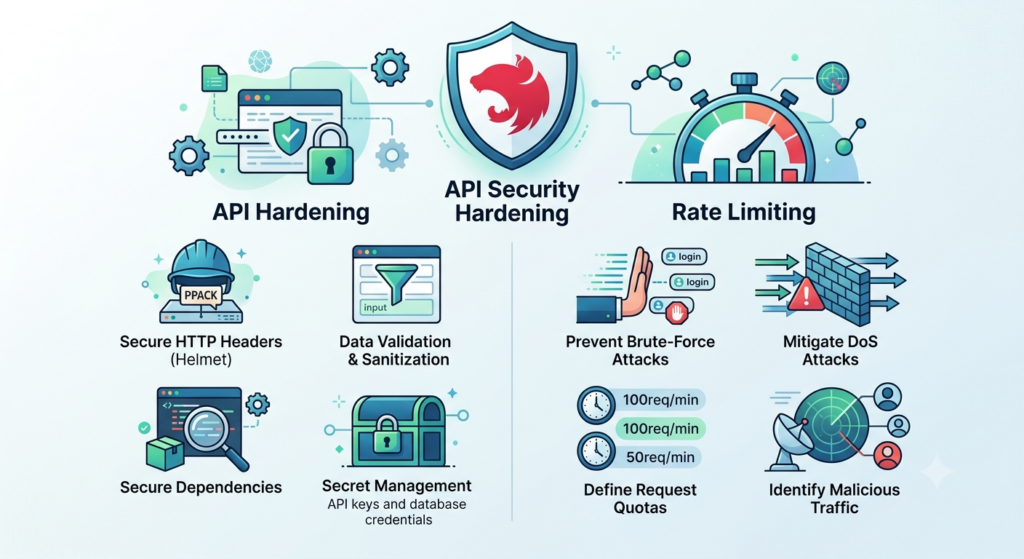
Building a fast, scalable API with NestJS is an excellent choice, but out-of-the-box frameworks are built for development speed, not battle conditions.
Once your API hits production, it becomes a target for brute-force attacks, Denial of Service (DoS), script kiddies, and malicious bots.
Hardening your API shouldn’t be an afterthought!
Here is a practical, production-ready guide to locking down your NestJS application using industry best practices.
1. Shielding HTTP Headers with Helmet
By default, Express (which powers NestJS under the hood) leaks information about your stack via headers like X-Powered-By.
Attackers use this to fingerprint your server and target specific vulnerabilities.
Helmet is a collection of 15 smaller middleware functions that set security-related HTTP headers to protect against common vulnerabilities like Cross-Site Scripting (XSS) and clickjacking.
Implementation
First, install the package:
npm i --save helmet
Then, apply it globally in your main.ts file:
import { NestFactory } from '@nestjs/core';
import { AppModule } from './app.module';
import helmet from 'helmet';

async function bootstrap() {
  const app = await NestFactory.create(AppModule);

  // Use Helmet early in the middleware stack
  app.use(helmet());

  await app.listen(3000);
}
bootstrap();
2. Preventing Abuse with Rate Limiting
Rate limiting limits the number of requests a user or IP address can make within a specific timeframe.
This is your primary defense against brute-force login attempts and DoS attacks.
NestJS provides an official @nestjs/throttler package that integrates seamlessly with its guard system.
Implementation
Install the throttler package:
npm i --save @nestjs/throttler
Configure it in your root AppModule:
import { Module } from '@nestjs/common';
import { ThrottlerModule, ThrottlerGuard } from '@nestjs/throttler';
import { APP_GUARD } from '@nestjs/core';

@Module({
  imports: [
    // Configure: Max 10 requests every 60 seconds per IP
    ThrottlerModule.forRoot([{
      ttl: 60000,
      limit: 10,
    }]),
  ],
  providers: [
    {
      provide: APP_GUARD,
      useClass: ThrottlerGuard, // Apply rate limiting globally
    },
  ],
})
export class AppModule {}
Granular Control (Overriding Globals)
You don’t want your heavy data-export endpoint to have the same limits as your public homepage. You can use decorators to customize limits per controller or route:
import { Controller, Get } from '@nestjs/common';
import { SkipThrottle, Throttle } from '@nestjs/throttler';

@Controller('users')
export class UsersController {

  @SkipThrottle() // Bypass rate limiting completely for this route
  @Get('public')
  findAllPublic() {
    return 'Public data';
  }

  @Throttle({ default: { limit: 3, ttl: 60000 } }) // Stricter limit for sensitive actions
  @Get('sensitive-data')
  getSecureData() {
    return 'Sensitive data';
  }
}
💡 Production Tip: By default, the throttler stores request counts in-memory. If your API scales horizontally across multiple servers or containers, switch to the Redis storage provider (
throttler-storage-redis) so all instances share the same rate-limit state.
3. Strict Input Validation (Sanitizing Data)
Never trust data sent by the client. Malicious payloads can crash your app, execute unintended database queries, or inject malicious scripts.
NestJS makes it incredibly easy to validate inputs using the ValidationPipe.
Implementation
Install the required peer dependencies:
npm i --save class-validator class-transformer
Enable the validation pipe globally in main.ts with strict options:
import { ValidationPipe } from '@nestjs/common';

app.useGlobalPipes(
  new ValidationPipe({
    whitelist: true,            // Strips away any properties not defined in the DTO
    forbidNonWhitelisted: true, // Throws an error if unknown properties are sent
    transform: true,            // Automatically transforms payloads to match DTO types
  }),
);
Creating a Secure DTO
With whitelist and forbidNonWhitelisted enabled, any malicious properties sent to your endpoints are immediately blocked.
import { IsString, IsEmail, MinLength } from 'class-validator';

export class RegisterUserDto {
  @IsEmail()
  email: string;

  @IsString()
  @MinLength(8, { message: 'Password must be at least 8 characters long.' })
  password: string;
}
4. Taming Cross-Origin Resource Sharing (CORS)
CORS stops unauthorized web pages from making requests to your API. Leaving CORS wide open (origin: '*') allows any malicious website to execute requests on behalf of authenticated users.
Implementation
Configure CORS strictly in your main.ts:
app.enableCors({
  origin: ['https://yourfrontend.com', 'https://admin.yourfrontend.com'],
  methods: 'GET,HEAD,PUT,PATCH,POST,DELETE',
  credentials: true, // Allow cookies/auth headers if needed
  allowedHeaders: 'Content-Type, Authorization',
});
5. Summary Checklist for Production
Before you deploy your NestJS API to the wild, ensure you have ticked off these critical boxes:
| Security Vector | Tool / Strategy | Action Item |
|---|---|---|
| HTTP Headers | Helmet |
Obfuscate stack metadata and enforce HTTPS. |
| DDoS / Brute Force | @nestjs/throttler |
Establish strict request limits (and connect to Redis if clustered). |
| Payload Injection | ValidationPipe |
Enforce whitelist: true to discard malicious body parameters. |
| Cross-Site Request Hijacking | Strict CORS | Never use origin: '*' in production environments. |
| Data in Transit | TLS / SSL | Ensure your NestJS app sits behind a reverse proxy (like Nginx, Cloudflare, or an AWS ALB) that terminates SSL properly. |
By implementing these quick wins, you transform your NestJS application from an exposed, default framework setup into a hardened API ready to withstand hostile web environments.
Coding Quote of the Day:
“Writing secure code isn’t about building a wall that can never be broken; it’s about making the cost of breaking it higher than the value of what’s inside.”
— Unknown
Useful links below:
Let me & my team build you a money making website/blog for your business https://bit.ly/tnrwebsite_service
Get Bluehost hosting for as little as $1.99/month (save 75%)…https://bit.ly/3C1fZd2
Best email marketing automation solution on the market! http://www.aweber.com/?373860
Build high converting sales funnels with a few simple clicks of your mouse! https://bit.ly/484YV29
Join my Patreon for one-on-one coaching and help with your coding…https://www.patreon.com/c/TyronneRatcliff
Buy me a coffee  https://buymeacoffee.com/tyronneratcliff


