
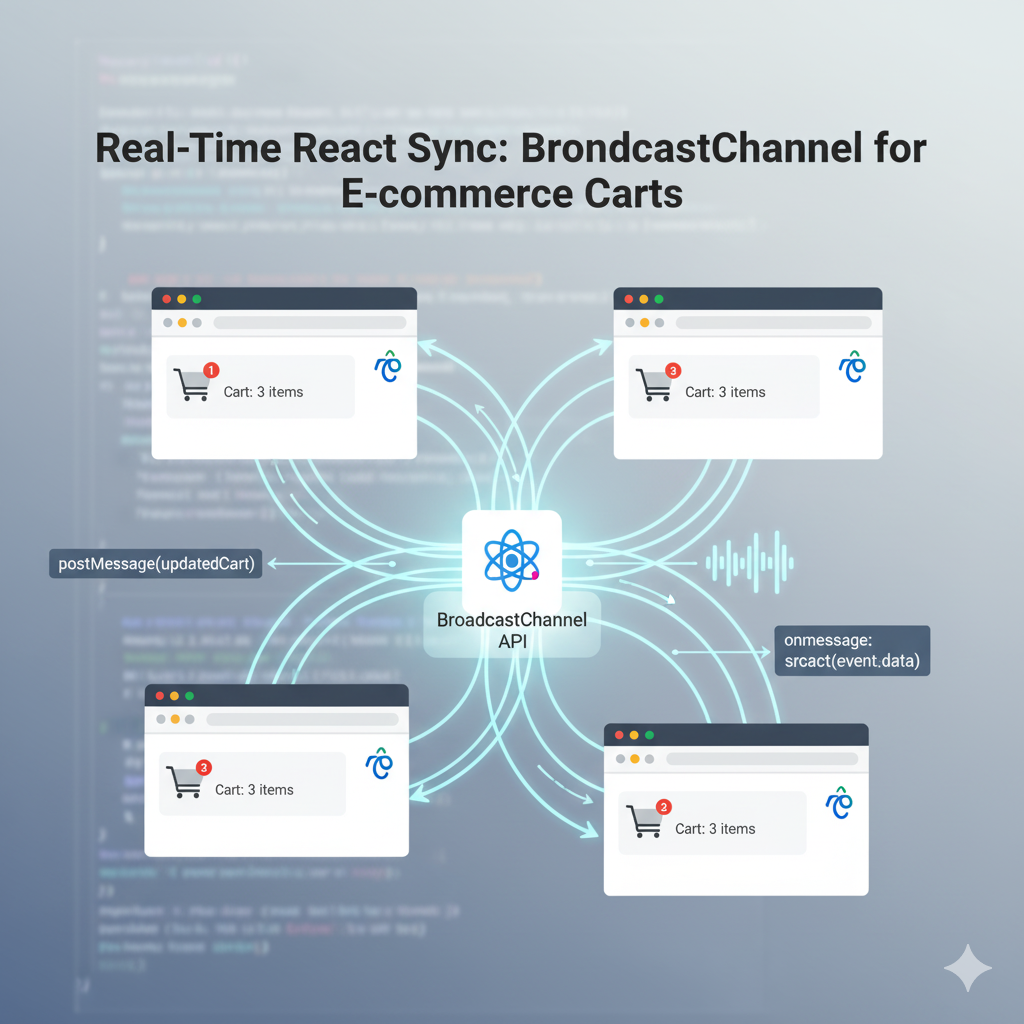
As an e-commerce developer, you want a buttery-smooth shopping experience. Nothing is worse than a user adding an item in one tab only to open another and see the cart icon still showing “0.” It breaks the user experience and can lead to confusion.
The solution? Inter-tab communication!
We can leverage the BroadcastChannel API and modern React Hooks to instantly synchronize the cart across every open browser tab for your site, no server polling or messy localStorage event hacks required.
Here’s a breakdown of the React code that makes this real-time sync happen.
The Synchronized Cart Component: Code Explained
This component, CartComponent, manages the cart state and acts as both a broadcaster (when adding an item) and a listener (when an item is added by another tab).
1. The Setup: State and Channel Initialization
import React, { useState, useEffect, useMemo } from 'react';

// Define the channel name
const CART_CHANNEL_NAME = "cart_channel";

const CartComponent = () => {
  // 1. Initialize cart state
  const [cart, setCart] = useState([]);

  // 2. Memoize the BroadcastChannel instance
  const cartChannel = useMemo(() => new BroadcastChannel(CART_CHANNEL_NAME), []);
// ...
useState: Initializes the component’s local cart state (cart).CART_CHANNEL_NAME: This constant defines the unique radio frequency ("cart_channel") that all open tabs must tune into to communicate.useMemo: This is crucial. We useuseMemoto ensure theBroadcastChannelinstance (cartChannel) is created only once when the component first renders. If we created a new channel on every render, the communication would fail, or be highly inefficient.
2. The Listener: Receiving Updates (useEffect)
  // --- Effect for LISTENING (Updates from other tabs) ---
  useEffect(() => {
    // Set the listener for messages from *other* tabs
    cartChannel.onmessage = (event) => {
      // The event.data contains the new cart array from the tab that just updated it
      setCart(event.data);
      console.log('Cart updated from another tab:', event.data);
    };

    // Cleanup function to close the channel when the component unmounts
    return () => {
      cartChannel.close();
      console.log('BroadcastChannel closed.');
    };
  }, [cartChannel]);
cartChannel.onmessage: This is the dedicated event handler that fires only when a message is sent from another tab on the same channel.setCart(event.data): When a message arrives, we take the payload (event.data)—which is the complete updated cart array—and use it to update the local React state. This instantly forces the current tab to re-render with the new cart count and items.- Cleanup Function (
return () => cartChannel.close()): Best practice dictates closing the channel when the component unmounts (i.e., when the user closes the tab or navigates away). This frees up browser resources.
3. The Broadcaster: Sending Updates (addItemToCart)
  // --- Function for UPDATING (Sends update to other tabs) ---
  const addItemToCart = (item) => {
    // 1. Calculate the new state
    const updatedCart = [...cart, item];

    // 2. Update the local state (for the current tab's display)
    setCart(updatedCart);
    console.log('Local cart updated:', updatedCart);

    // 3. Post the message to other tabs
    cartChannel.postMessage(updatedCart);
  };
// ...
- Local Update: First, the function calculates the
updatedCartand immediately callssetCart(updatedCart). This ensures the current tab’s display updates instantly. - Broadcast: Next, it calls
cartChannel.postMessage(updatedCart). This sends the entire, up-to-date cart array out to the channel. All other tabs with this component open will pick up this message via theironmessagelistener (Section 2) and update their UI.
Why This Approach Works So Well
- Efficiency: The
BroadcastChannelis a direct browser API, making it extremely fast. You’re not relying on network requests or constant server polling. - Simplicity: It abstracts away the complexity of handling multiple windows. You just send data and receive it.
- Scalability: Since communication is direct between browser tabs (client-side), it doesn’t add any extra load to your server.
By combining the powerful BroadcastChannel API with React Hooks like useState, useEffect, and useMemo, you can build a truly synchronous and high-quality e-commerce experience that feels modern and seamless!
Useful links below:
Let me & my team build you a money making website/blog for your business https://bit.ly/tnrwebsite_service
Get Bluehost hosting for as little as $1.99/month (save 75%)…https://bit.ly/3C1fZd2
Join my Patreon for one-on-one coaching and help with your coding…https://www.patreon.com/c/TyronneRatcliff
Buy me a coffee  https://buymeacoffee.com/tyronneratcliff


