
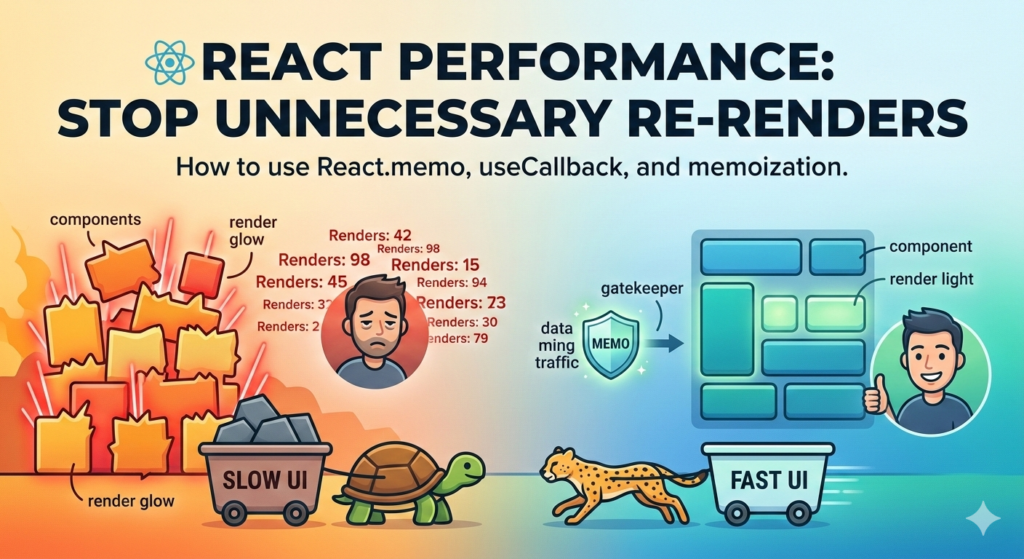
In a React interview, there is one question that separates the juniors from the seniors: “How do you optimize a component that re-renders even when its props haven’t changed?”
React is fast by default, but as your application grows, “ghost” renders—renders that happen for no functional reason—can lead to a sluggish UI and a poor user experience.
Mastering these techniques isn’t just about passing an interview; it’s about building professional-grade software.
1. The Gatekeeper: React.memo
By default, when a parent component re-renders, all of its children re-render too.
React.memo is a Higher Order Component (HOC) that tells React to skip rendering a component if its props are the same as last time.
-
When to use it: For “Pure” components that render often with the same props.
-
The Interview Secret: Mention that
React.memoonly does a shallow comparison. If you pass a new object or array as a prop, the memoization will fail because the reference has changed.
2. Stabilizing Values with useMemo and useCallback
Since JavaScript treats objects and functions as unique references, you need a way to “lock” them so they don’t trigger re-renders in memoized children.
useMemo for Expensive Logic
Use this to cache the result of a calculation so it only runs when its dependencies change.
const filteredPosts = useMemo(() => {
  return posts.filter(post => post.title.includes(query));
}, [posts, query]);
useCallback for Functions
Use this to cache a function definition. This is vital when passing a function to a child component wrapped in React.memo.
const handleSave = useCallback(() => {
  console.log("Saving post...");
}, []); // Empty array means the function reference stays the same forever
3. The “State Lift-Down” Pattern
Sometimes the best optimization is simply moving state closer to where it is used.
If a large parent component has state that only a tiny footer uses, moving that state into a Footer component prevents the entire page from re-rendering.
Pro-Tip: Before reaching for complex hooks, ask: “Can I move this state down a level?”
4. Leveraging the children Prop
This is a high-level composition trick. If you wrap a component around others using the children prop, React is smart enough to know the children haven’t changed even if the wrapper’s internal state does.
// The 'HeavyContent' won't re-render when 'count' changes
function LayoutWrapper({ children }) {
  const [count, setCount] = useState(0);
  return (
    <div onClick={() => setCount(c => c + 1)}>
      Clicked: {count}
      {children}
    </div>
  );
}
Summary: When Not to Optimize
Optimization isn’t free. Every useMemo and useCallback adds a small memory overhead and a comparison step.
If you’re asked in an interview when to skip these: Explain that you shouldn’t optimize until you notice a performance bottleneck.
Over-memoizing a simple app can actually make it slower and harder to read.
Key Takeaways for your Portfolio:
-
Identify unnecessary renders using the React DevTools Profiler.
-
Stabilize references with
useCallbackanduseMemo. -
Refactor component architecture to keep state local.
Useful links below:
Let me & my team build you a money making website/blog for your business https://bit.ly/tnrwebsite_service
Get Bluehost hosting for as little as $1.99/month (save 75%)…https://bit.ly/3C1fZd2
Best email marketing automation solution on the market! http://www.aweber.com/?373860
Build high converting sales funnels with a few simple clicks of your mouse! https://bit.ly/484YV29
Join my Patreon for one-on-one coaching and help with your coding…https://www.patreon.com/c/TyronneRatcliff
Buy me a coffee  https://buymeacoffee.com/tyronneratcliff


