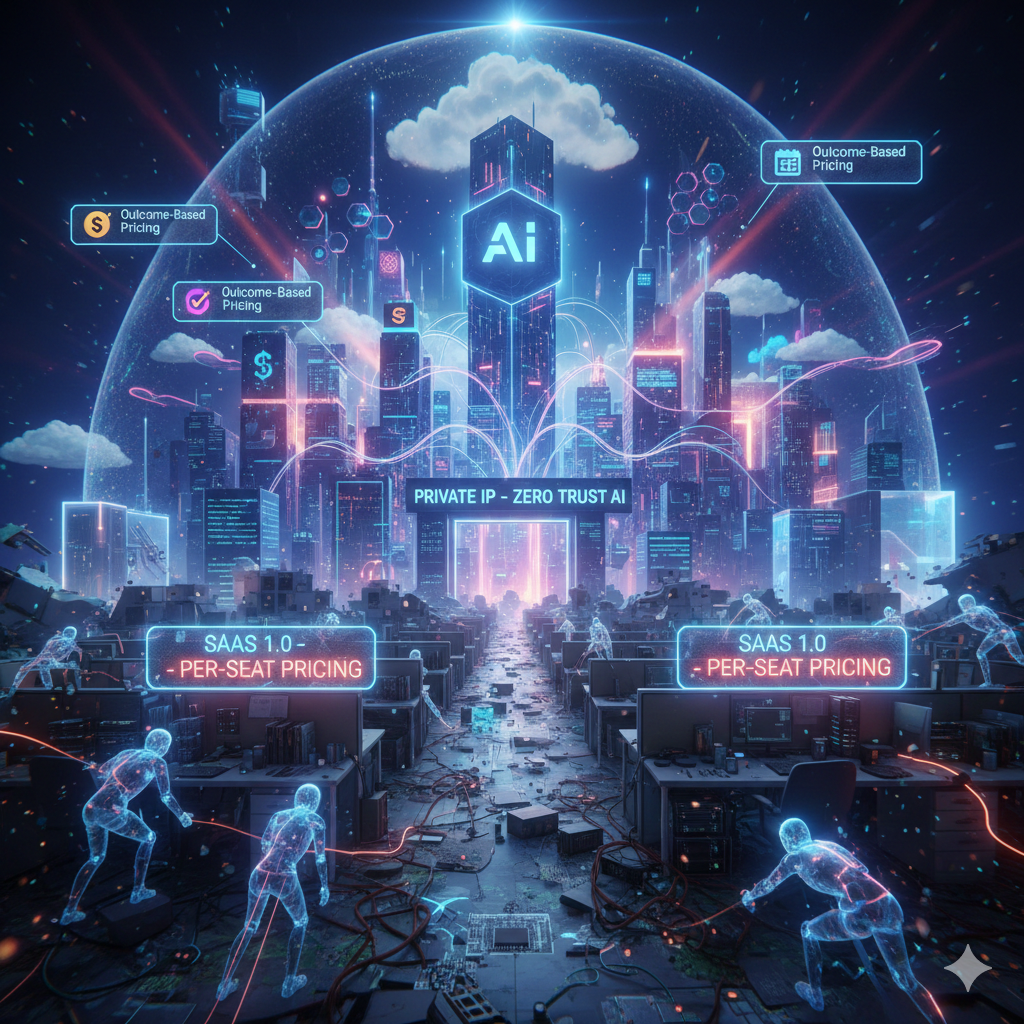
For two decades, “Software as a Service” (SaaS) was the undisputed king of software delivery. The promise was simple: pay a recurring fee, access powerful tools over the internet, and scale your business without the headache of on-premise infrastructure. This model built empires, powered startups, and fundamentally changed how we work.
But look around in early 2026, and a seismic shift is underway. The question is no longer if AI will impact SaaS, but how it’s fundamentally dismantling and rebuilding the very foundations of the industry. Trillions in market value have been erased as investors awaken to a stark new reality: AI isn’t replacing the concept of “Software as a Service,” but it is killing the “SaaS business model” as we’ve known it.
Welcome to the SaaSpocalypse.
The Tyranny of the “Per-Seat” Model Crumbles
The cornerstone of traditional SaaS profitability was the “per-seat” or “per-user” model. Companies charged for every employee who logged in, creating predictable, scalable revenue streams. This made sense when software was a tool that required human interaction.
But what happens when an AI agent can do the work of 10, 20, or even 100 people?
Consider a customer support team. Historically, a SaaS helpdesk might charge $50 per agent per month. If an AI agent, powered by the latest LLMs and trained on your specific knowledge base, can autonomously resolve 80% of incoming tickets, you no longer need 10 human agents; you might only need 2 supervisors overseeing a fleet of AI workers. Your need for “seats” plummets, and with it, the SaaS vendor’s revenue.
This is why the per-seat model, once a cash cow, is now becoming a financial liability for SaaS companies. It doesn’t align with the value AI delivers, which is automation and amplification, not just access.
From “Tools” to “Workers”: The Agentic Shift
The most profound change AI brings to SaaS is a redefinition of software itself. For years, software was a “tool.” You, the human, picked up the digital hammer (a CRM), learned how to swing it (clicked through workflows), and built something (managed customer relationships).
AI is transforming software from a passive tool into an active worker – an autonomous agent.
Let’s break down this fundamental shift:
Feature: Interaction
Traditional SaaS (The Tool): Manual clicks, form filling, menu navigation, and direct commands.
AI-Native SaaS (The Worker/Agent): Natural language (text, voice) and autonomous execution of tasks.
Feature: Logic
Traditional SaaS (The Tool): Rigid, deterministic, “If-This-Then-That” rule engines.
AI-Native SaaS (The Worker/Agent): Adaptive, probabilistic, “Goal-Oriented” reasoning and learning.
Feature: Value Derived
Traditional SaaS (The Tool): Saves time on a specific task and provides data visibility.
AI-Native SaaS (The Worker/Agent): Delivers a completed workflow, achieves an objective, and provides insights.
Feature: Analogy
Traditional SaaS (The Tool): A high-performance vehicle that you must drive.
AI-Native SaaS (The Worker/Agent): A chauffeur who drives for you, understanding your destination.
Feature: Example
Traditional SaaS (The Tool): A spreadsheet for financial analysis.
AI-Native SaaS (The Worker/Agent): An agent that analyzes market data, predicts trends, and drafts reports.
This “agentic shift” means businesses will no longer pay for tools to enable human workers; they’ll pay for AI workers to execute entire processes. This directly impacts the value proposition and, consequently, the pricing model.
The Rise of Outcome-Based Pricing
If the per-seat model is dying, what’s replacing it? Outcome-based pricing is emerging as the dominant paradigm for AI-native SaaS.
Instead of paying for access to a tool, you’ll pay for the result that AI delivers.
-
Customer Support: Pay $1.00 per successfully resolved customer ticket, or $0.50 per customer interaction handled without human intervention.
-
Sales & Marketing: Pay $50 per qualified lead generated, or a percentage of revenue from AI-driven campaigns.
-
Recruitment: Pay per successful hire sourced and screened by an AI agent.
-
Content Creation: Pay per published article, marketing copy, or video script generated by AI.
This model aligns perfectly with the value proposition of AI: it’s not about the software itself, but the tangible, measurable business outcomes it achieves. This also puts immense pressure on SaaS vendors to demonstrate clear ROI, which can be a double-edged sword.
The Great SaaS Divide: “Screwed” vs. “Safe”
Not all SaaS is created equal in the face of this AI revolution. We’re seeing a clear divergence:
-
The “Screwed” SaaS (Point Solutions & UI Wrappers): These are the easiest targets for AI. If your SaaS simply takes a readily available database, wraps a basic user interface around it, and offers a narrow, deterministic function (e.g., a simple task manager, a basic meeting scheduler, an email tracking app), its days are numbered.
The rise of “vibe coding” or “prompt engineering” combined with open-source frameworks means internal teams can often build custom AI agents to replicate these functions in days or weeks. Why pay for a generic tool when an AI can be custom-trained to understand your company’s specific nuances, workflows, and data?
Imagine a small business using an off-the-shelf project management SaaS. With AI, they can now build an internal agent that not only tracks tasks but also identifies dependencies, predicts delays, reassigns work based on team availability, and even drafts status reports – all tailored to their unique operational “vibe.”
-
The “Safe” SaaS (Systems of Record & Infrastructure): These are the deeply entrenched, complex platforms that hold vast amounts of proprietary data and often carry significant regulatory or operational liability. Think of enterprise resource planning (ERP) giants like SAP, or customer relationship management (CRM) behemoths like Salesforce.
Companies are not going to rip out 20 years of finely tuned data architecture overnight. The “moat” here is not just the software, but the Proprietary Data and the Regulatory Liability. Instead, AI agents will likely interact with these systems. An AI will “talk” to Salesforce to retrieve customer history, update records, or trigger workflows, rather than replacing Salesforce entirely.
These platforms become the “nervous system”—the data, the rules, the history—while AI agents become the “brain”—the interface, the reasoning, the execution layer.
The “Private IP” Factor and the Rise of Secure AI
As we discussed, your focus on a private IP for your database is prescient and critical in the AI era. The utility of AI agents hinges on their access to data. However, enterprises are rightfully terrified of their sensitive, proprietary data leaking into public LLMs or being compromised.
This tension is fueling a massive surge in Private Cloud AI Architecture and Zero Trust AI principles.
-
Data Gravity: Data has gravitational pull. Moving vast enterprise datasets to train public models is costly, complex, and risky.
-
Security & Compliance: Industries like healthcare, finance, and defense cannot afford to have sensitive information processed by models outside their control, especially not via the public internet.
-
Private IP as a Cornerstone: A private IP for your database, accessible only within your secure Virtual Private Cloud (VPC) or Virtual Network (VNet), becomes non-negotiable. This ensures that:
-
Your AI agents (whether custom-built or integrated from a vendor) interact with your data over a secure, internal network backbone.
-
Your data never traverses the public internet, dramatically reducing attack vectors.
-
You maintain full control over access policies and auditing.
-
This is leading to a boom in AI-native SaaS that offers on-premise, hybrid, or entirely private cloud deployments. Vendors must adapt to bring the AI to the data, rather than expecting the data to move to their public AI offering.
The SaaSpocalypse is Not the End, But a Metamorphosis
The “SaaSpocalypse” isn’t a doomsday scenario for all software companies. Instead, it’s a brutal but necessary metamorphosis.
SaaS companies that will thrive are those that:
-
Embrace outcome-based pricing: Align their value with measurable business results.
-
Build true AI agents: Move beyond simple tools to deliver autonomous workers that solve entire problems.
-
Focus on niche, proprietary data: Develop AI that leverages unique, difficult-to-replicate datasets or domain expertise.
-
Prioritize private IP and security: Offer deployment models that meet stringent enterprise security and compliance requirements.
-
Become “AI Composers”: Provide frameworks and orchestration layers for enterprises to build and manage their own AI agents, allowing companies to leverage their private data securely.
The future of SaaS is less about selling “software” and more about selling “intelligence,” “automation,” and “outcomes.” The core concept of delivering software as a service remains, but the underlying mechanics of value creation, business models, and technical architecture are being fundamentally rewritten by the relentless march of artificial intelligence. Adapt or become obsolete – the choice for SaaS providers has never been clearer.
Useful links below:
Let me & my team build you a money making website/blog for your business https://bit.ly/tnrwebsite_service
Get Bluehost hosting for as little as $1.99/month (save 75%)…https://bit.ly/3C1fZd2
Best email marketing automation solution on the market! http://www.aweber.com/?373860
Build high converting sales funnels with a few simple clicks of your mouse! https://bit.ly/484YV29
Join my Patreon for one-on-one coaching and help with your coding…https://www.patreon.com/c/TyronneRatcliff
Buy me a coffee  https://buymeacoffee.com/tyronneratcliff