
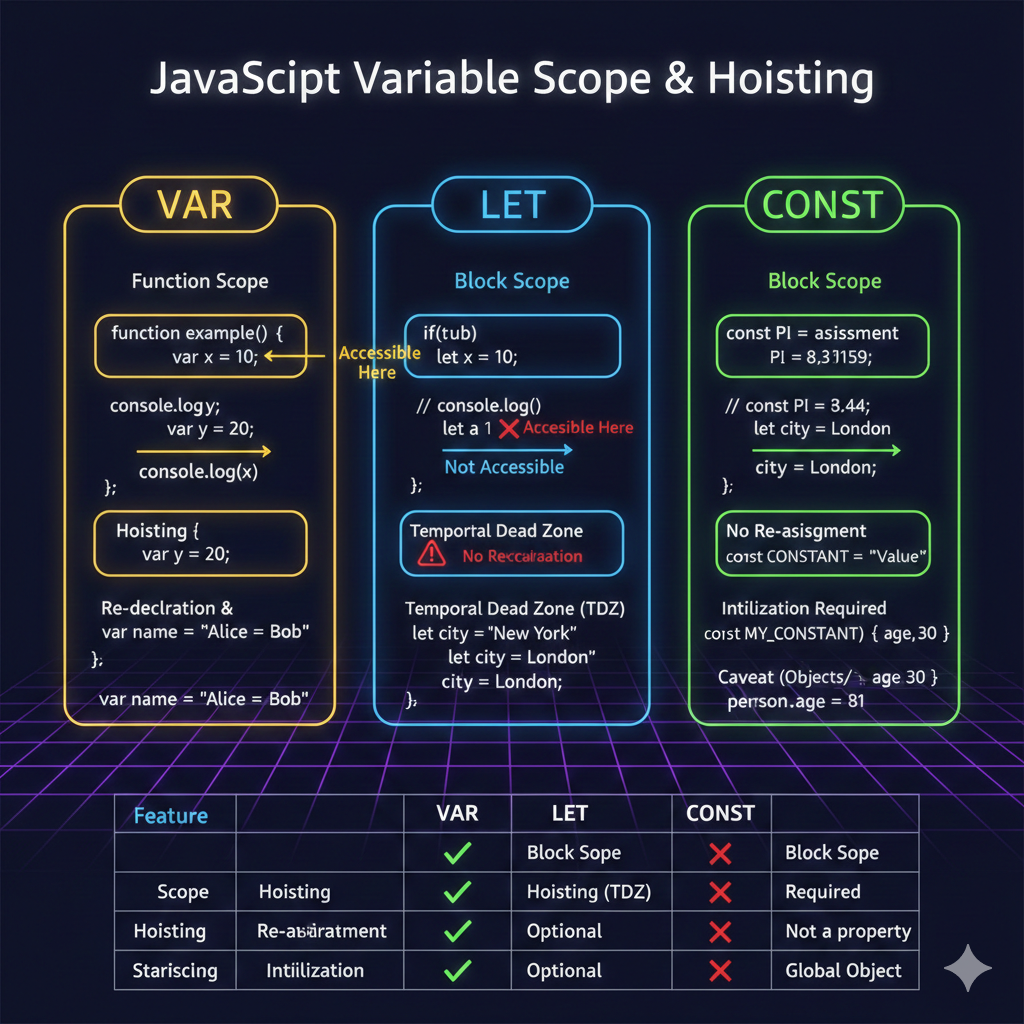
JavaScript, like many programming languages, provides ways to store data in memory using variables.
However, the evolution of JavaScript has introduced different keywords for declaring variables, each with its own nuances and implications.
For newcomers and seasoned developers alike, understanding the distinctions between var, let, and const is crucial for writing clean, predictable, and maintainable code.
Let’s dive into the core differences:
1. var: The Old Guard (and Its Quirks)
var was the original way to declare variables in JavaScript. While still functional, it comes with a few characteristics that can lead to unexpected behavior if not understood.
Function Scope: Variables declared with var are function-scoped. This means they are accessible anywhere within the function they are declared in, regardless of block statements (like if statements or for loops).
function exampleVar() {
  if (true) {
    var x = 10;
  }
  console.log(x); // Output: 10 (accessible outside the if block)
}
exampleVar();

console.log(x); // Error: x is not defined (not accessible outside the function)
Hoisting: var declarations are “hoisted” to the top of their function scope. This means that you can use a var variable before it’s actually declared in the code, although its value will be undefined until the declaration is reached.
function hoistExample() {
  console.log(y); // Output: undefined
  var y = 20;
  console.log(y); // Output: 20
}
hoistExample();
Re-declaration and Re-assignment: var allows for both re-declaration and re-assignment within the same scope without error. This can sometimes lead to accidental overwriting of variables.
var name = "Alice";
var name = "Bob"; // No error, 'name' is re-declared
console.log(name); // Output: Bob

var age = 30;
age = 31; // Re-assigned
console.log(age); // Output: 31
Global Object Property: When declared outside of any function, var variables become properties of the global window object (in browsers).
var globalVar = "I'm global!";
console.log(window.globalVar); // Output: I'm global!
2. let: The Modern, Block-Scoped Variable
Introduced in ECMAScript 2015 (ES6), let addresses many of the shortcomings of var. It’s now the preferred way to declare variables when you expect their values to change.
Block Scope: The most significant difference is that let variables are block-scoped. A block is any code enclosed in curly braces {} (e.g., if statements, for loops, while loops, or simply a standalone block).
function exampleLet() {
  if (true) {
    let x = 10;
    console.log(x); // Output: 10
  }
  // console.log(x); // Error: x is not defined (not accessible outside the if block)
}
exampleLet();
No Re-declaration (within the same scope): You cannot re-declare a let variable within the same block scope. This helps prevent accidental overwriting.
let city = "New York";
// let city = "London"; // Error: Identifier 'city' has already been declared
city = "London"; // This is allowed (re-assignment)
console.log(city); // Output: London
Hoisting (but with a “Temporal Dead Zone”): While let declarations are technically hoisted, they are not initialized. Accessing a let variable before its declaration results in a ReferenceError. This period is known as the “Temporal Dead Zone” (TDZ).
function tdzExample() {
  // console.log(a); // Error: Cannot access 'a' before initialization
  let a = 1;
  console.log(a); // Output: 1
}
tdzExample();
Not a Global Object Property: Unlike var, let variables declared globally do not become properties of the window object.
3. const: For Unchangeable Values
Also introduced in ES6, const is used to declare constants – values that, once assigned, cannot be re-assigned.
Block Scope: Like let, const variables are block-scoped.
function exampleConst() {
  const PI = 3.14159;
  if (true) {
    const GREETING = "Hello";
    console.log(GREETING); // Output: Hello
  }
  // console.log(GREETING); // Error: GREETING is not defined
}
exampleConst();
No Re-assignment: This is the defining characteristic of const. Once a value is assigned, you cannot change it.
const BIRTH_YEAR = 1990;
// BIRTH_YEAR = 1991; // Error: Assignment to constant variable.
Initialization Required: You must assign a value to a const variable at the time of its declaration.
// const MY_CONSTANT; // Error: Missing initializer in const declaration
const MY_CONSTANT = "Some Value";
Caveat with Objects and Arrays: While you cannot re-assign a const variable that holds an object or an array, you can modify the properties of the object or the elements of the array. The const declaration only prevents re-assignment of the binding itself, not the internal contents of the bound value.
const person = {
  name: "John",
  age: 30
};
person.age = 31; // Allowed
console.log(person); // Output: { name: 'John', age: 31 }

// person = { name: "Jane" }; // Error: Assignment to constant variable.

const numbers = [1, 2, 3];
numbers.push(4); // Allowed
console.log(numbers); // Output: [1, 2, 3, 4]

// numbers = [5, 6]; // Error: Assignment to constant variable.
Quick Comparison Table
| Feature | var | let | const |
| Scope | Function Scope | Block Scope | Block Scope |
| Hoisting | Yes | Yes (TDZ) | Yes (TDZ) |
| Re-declaration | Yes | No | No |
| Re-assignment | Yes | Yes | No |
| Initialization | Optional | Optional | Required |
| Global Object | Property | Not a property | Not a property |
When to Use Which?
-
const(Default Choice): If you can, always start withconst. It enforces immutability for the variable’s binding, which helps prevent accidental re-assignments and makes your code more predictable. Only if you know the value will change, move tolet. -
let(When Value Changes): Useletwhen you declare a variable whose value is expected to change over time, such as a counter in a loop, a user’s input that might be updated, or a temporary variable that holds different values throughout a function’s execution. -
var(Avoid, If Possible): In modern JavaScript development, it’s generally recommended to avoidvar. Its function scoping and hoisting behavior can lead to subtle bugs and make code harder to reason about. Most linters will even warn you about its usage.
By adopting let and const, you embrace best practices that lead to more robust, readable, and less error-prone JavaScript code.
Happy coding!
Useful links below:
Let me & my team build you a money making website/blog for your business https://bit.ly/tnrwebsite_service
Get Bluehost hosting for as little as $1.99/month (save 75%)…https://bit.ly/3C1fZd2
Best email marketing automation solution on the market! http://www.aweber.com/?373860
Build high converting sales funnels with a few simple clicks of your mouse! https://bit.ly/484YV29
Join my Patreon for one-on-one coaching and help with your coding…https://www.patreon.com/c/TyronneRatcliff
Buy me a coffee  https://buymeacoffee.com/tyronneratcliff


