
Have you ever built an interactive web page, only to find your JavaScript becoming a tangled mess of event listeners?
Or perhaps you’ve struggled with handling clicks on dynamically added content? If so, it’s time to unlock the power of Event Delegation.
Event delegation is a fundamental pattern in web development that can drastically improve the performance, memory footprint, and maintainability of your JavaScript applications. Let’s dive in!
What’s the Problem Event Delegation Solves?
Imagine you have a long list of items, and you want to do something specific (like show an alert) when any of those items are clicked. Your first thought might be to attach a click listener to every single list item:
// A less optimal approach (without delegation):
document.querySelectorAll('.list-item').forEach(item => {
    item.addEventListener('click', function(event) {
        alert('Clicked: ' + event.target.textContent);
    });
});
While this works, it has a few drawbacks:
- Memory Overhead: For a list with 100 items, you’re creating 100 separate event listeners. That’s a lot of objects for the browser to keep track of.
- Performance on Load: The browser has to iterate through all elements and attach these listeners when the page loads, which can impact initial rendering time.
- Dynamic Content Issues: What happens if you add new list items after the page has loaded? These new items won’t have any listeners attached, and your code will fail to react to their clicks!
This is where Event Delegation shines.
The Power of Event Bubbling
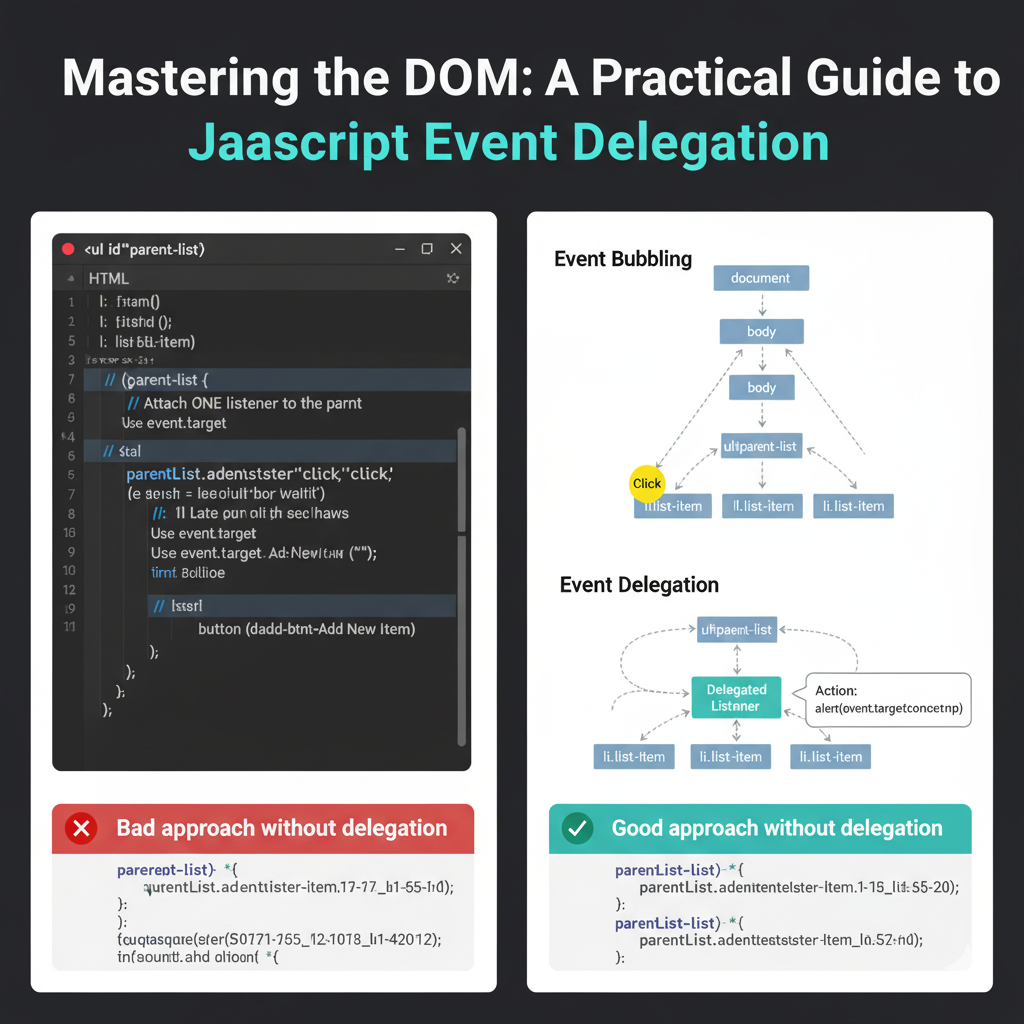
Before we get to the solution, a quick word on event bubbling. When an event (like a click) occurs on an element, it doesn’t just happen on that element. It also “bubbles up” through its ancestors in the DOM tree. So, a click on a <li> also triggers a click event on its parent <ul>, its parent <body>, and so on, all the way up to the document object.
Event delegation leverages this bubbling mechanism.
How Event Delegation Works
Instead of attaching a listener to every child element, you attach a single event listener to a common ancestor element. When an event occurs on one of the children, it bubbles up to this ancestor. The ancestor’s listener then “catches” the event and, using the event.target property, determines which specific child element was originally clicked.
Let’s illustrate with a practical example:
Our HTML Structure
Consider a simple unordered list and a button to add new items dynamically:
<ul id="parent-list">
  <li class="list-item">Item 1</li>
  <li class="list-item">Item 2</li>
  <li class="list-item">Item 3</li>
  <li class="list-item">Item 4</li>
</ul>
<button id="add-btn">Add New Item</button>
JavaScript Implementation (Using Event Delegation)
// 1. Get the parent element where we'll attach our single listener
const parentList = document.getElementById('parent-list');
const addButton = document.getElementById('add-btn');

// 2. Attach ONE listener to the parent (the <ul> element)
parentList.addEventListener('click', function(event) {
  // 3. Check if the clicked element (event.target) matches the children we care about
  //    The `matches()` method is perfect for this.
  if (event.target && event.target.matches('.list-item')) {
    // 4. Perform the desired action
    alert('Clicked item text: ' + event.target.textContent);
    // You can add more complex logic here, perhaps using data attributes:
    // const itemId = event.target.dataset.id;
    // console.log(`Item with ID ${itemId} was clicked!`);
  }
});

// Example: Dynamically adding new items
let itemCount = 5;
addButton.addEventListener('click', () => {
  const newItem = document.createElement('li');
  newItem.className = 'list-item';
  newItem.textContent = 'Item ' + itemCount;
  parentList.appendChild(newItem);
  itemCount++;

  // Notice: We do NOT need to add a new event listener for `newItem`!
  // The delegated listener on `parentList` will automatically handle clicks on it.
});
Why This Is Better
- Efficiency: Only one event listener is active for the entire list, regardless of how many items it contains.
- Future-Proof: Any new
<li>elements added toparent-list(even dynamically) will automatically be covered by the existing delegated listener. No need to re-attach listeners! - Cleaner Code: Your JavaScript stays much tidier without loops creating multiple identical listeners.
When to Use Event Delegation
Event delegation is an excellent choice for:
- Large lists or tables: Where you have many similar, interactive elements.
- Dynamically loaded content: When content is added, removed, or changed via AJAX or user interaction.
- Performance-critical applications: To minimize memory usage and improve responsiveness.
Conclusion
Event delegation is a powerful, elegant solution to common challenges in DOM manipulation. By understanding event bubbling and strategically placing your listeners, you can write more efficient, performant, and maintainable JavaScript. Start delegating your events today and experience a smoother, more robust web application!


