
If you’ve ever seen a “Maximum call stack size exceeded” error in your console, you’ve met the Call Stack.
But what is it exactly, and how does it handle complex tasks without freezing your browser?
To understand JavaScript performance, you have to look past the syntax and into the engine. Let’s break down the two most important pieces of the puzzle: the Call Stack and the Event Loop.
1. What is the Call Stack?
In simple terms, the Call Stack is the mechanism JavaScript uses to keep track of its place in a script. It tells the engine what function is currently running and what functions are called from within that function.
How It Works: LIFO
The Call Stack operates on a LIFO (Last In, First Out) principle. Imagine a stack of physical books:
-
You add a book to the top (Push).
-
You can only remove the book that is currently on the top (Pop).
The Lifecycle of a Function Call
When you run a JavaScript file, the engine creates a Global Execution Context. As it encounters functions, it follows these steps:
-
Push: When a function is invoked, it is added to the top of the stack.
-
Execute: The engine runs the code inside that function.
-
Pop: Once the function returns a value or finishes, it is removed from the stack.
2. A Real-World Example
Let’s look at how the stack handles this snippet:
function greet() {
  sayHi();
  console.log("Back in greet");
}

function sayHi() {
  console.log("Hi!");
}

greet();
The Execution Flow:
-
greet()is called => Added to stack. -
Inside
greet,sayHi()is called => Added to top of stack. -
sayHiexecutesconsole.log("Hi!"). -
sayHifinishes => Popped off the stack. -
Control returns to
greet, which executesconsole.log("Back in greet"). -
greetfinishes => Popped off the stack.
3. The “Single-Threaded” Limitation
Because there is only one Call Stack, JavaScript is single-threaded.
It can only do one thing at a time.
If a function at the top of the stack takes a long time to run (like a massive calculation), it “blocks” the stack.
This is why a website might feel “frozen”—the Call Stack is busy and can’t handle your clicks.
What is a Stack Overflow?
A stack overflow happens when a function calls itself (recursion) without an exit strategy.
The stack grows until it hits the browser’s memory limit.
function recurse() {
  recurse();
}
recurse(); // Uncaught RangeError: Maximum call stack size exceeded
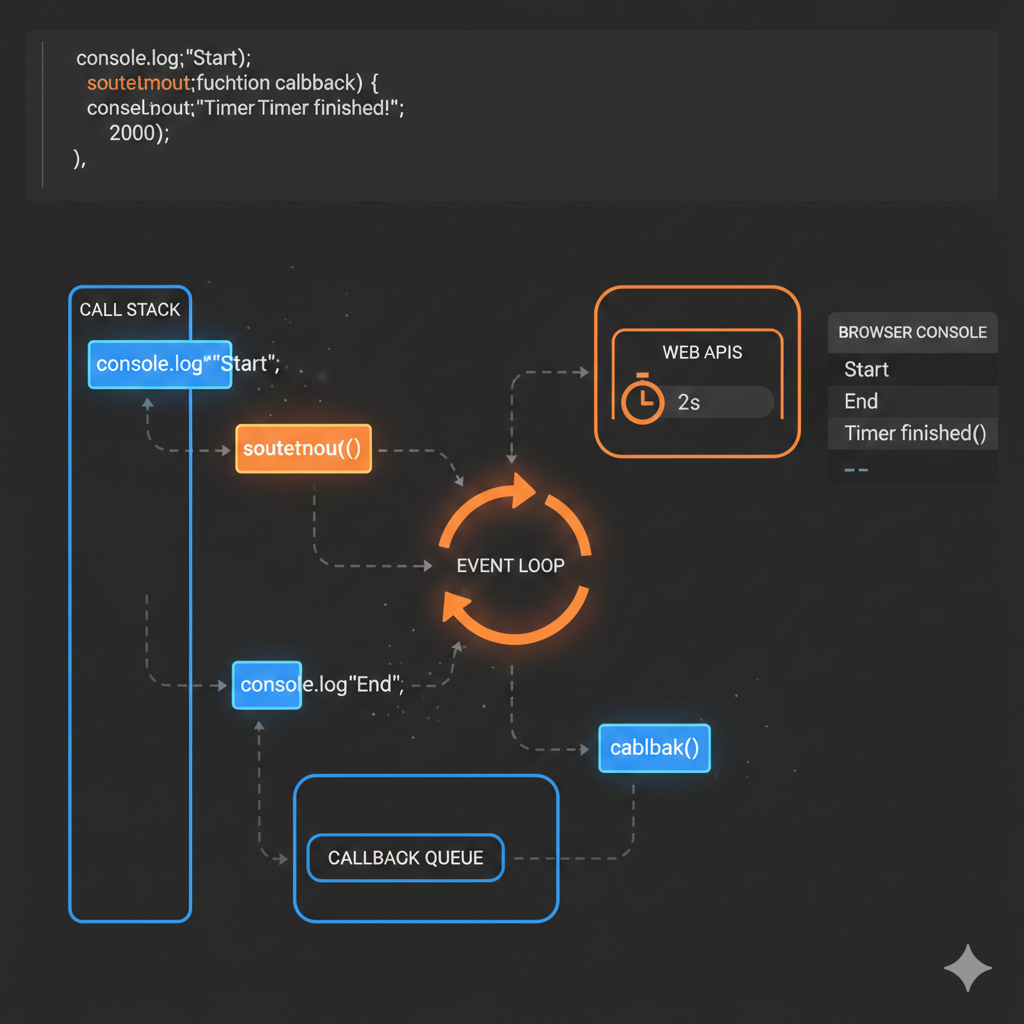
4. The Event Loop: Handling Asynchronous Magic
If JavaScript can only do one thing at a time, how does it handle network requests (fetch) or timers without freezing?
This is where the Event Loop, Web APIs, and the Callback Queue come in.
Step 1: Web APIs
When you call an asynchronous function like setTimeout, JavaScript doesn’t wait for it. It hands the task to the browser’s Web APIs and moves to the next line of code immediately.
Step 2: The Callback Queue
Once the Web API finishes its task (e.g., the 2-second timer ends), the callback function is sent to the Callback Queue. It sits there, waiting for its turn to run.
Step 3: The Event Loop
The Event Loop is a constant monitor. It has one specific rule:
“If the Call Stack is empty, take the first task from the Callback Queue and push it onto the Stack.”
Example in Action:
console.log("Start");

setTimeout(() => {
  console.log("Callback");
}, 0);

console.log("End");
Output:
-
Start -
End -
Callback
Even with a 0ms delay, “Callback” prints last. Why? Because the Event Loop had to wait for the Call Stack to be completely empty (after “End” was logged) before it could move the callback from the queue to the stack.
Summary
-
Call Stack: Manages the order of execution (LIFO).
-
Single-Threaded: JavaScript handles one task at a time.
-
Web APIs: Handle heavy lifting (timers, requests) outside the main thread.
-
Event Loop: Coordinates between the stack and the queue to keep things running smoothly.
Useful links below:
Let me & my team build you a money making website/blog for your business https://bit.ly/tnrwebsite_service
Get Bluehost hosting for as little as $1.99/month (save 75%)…https://bit.ly/3C1fZd2
Best email marketing automation solution on the market! http://www.aweber.com/?373860
Build high converting sales funnels with a few simple clicks of your mouse! https://bit.ly/484YV29
Join my Patreon for one-on-one coaching and help with your coding…https://www.patreon.com/c/TyronneRatcliff
Buy me a coffee  https://buymeacoffee.com/tyronneratcliff


